Porter Flight Status

Helping travellers know what's happening before they have to ask.

Go to results

Porter's second most popular flow had a clarity problem

Flight Status gets 1.25 million visits a month, second only to booking. Passengers land there to confirm one thing before they move. The old layout made them dig for it.

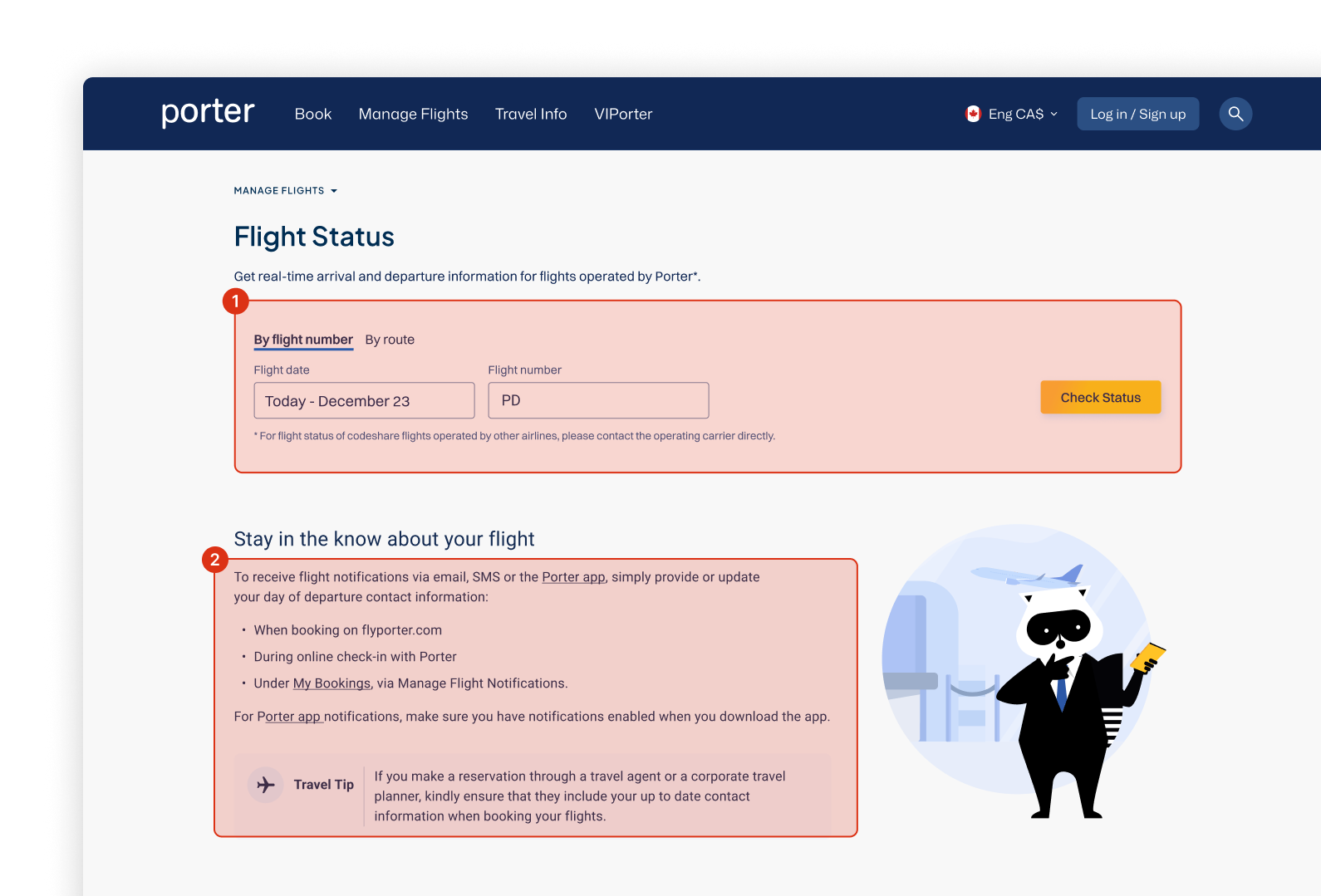
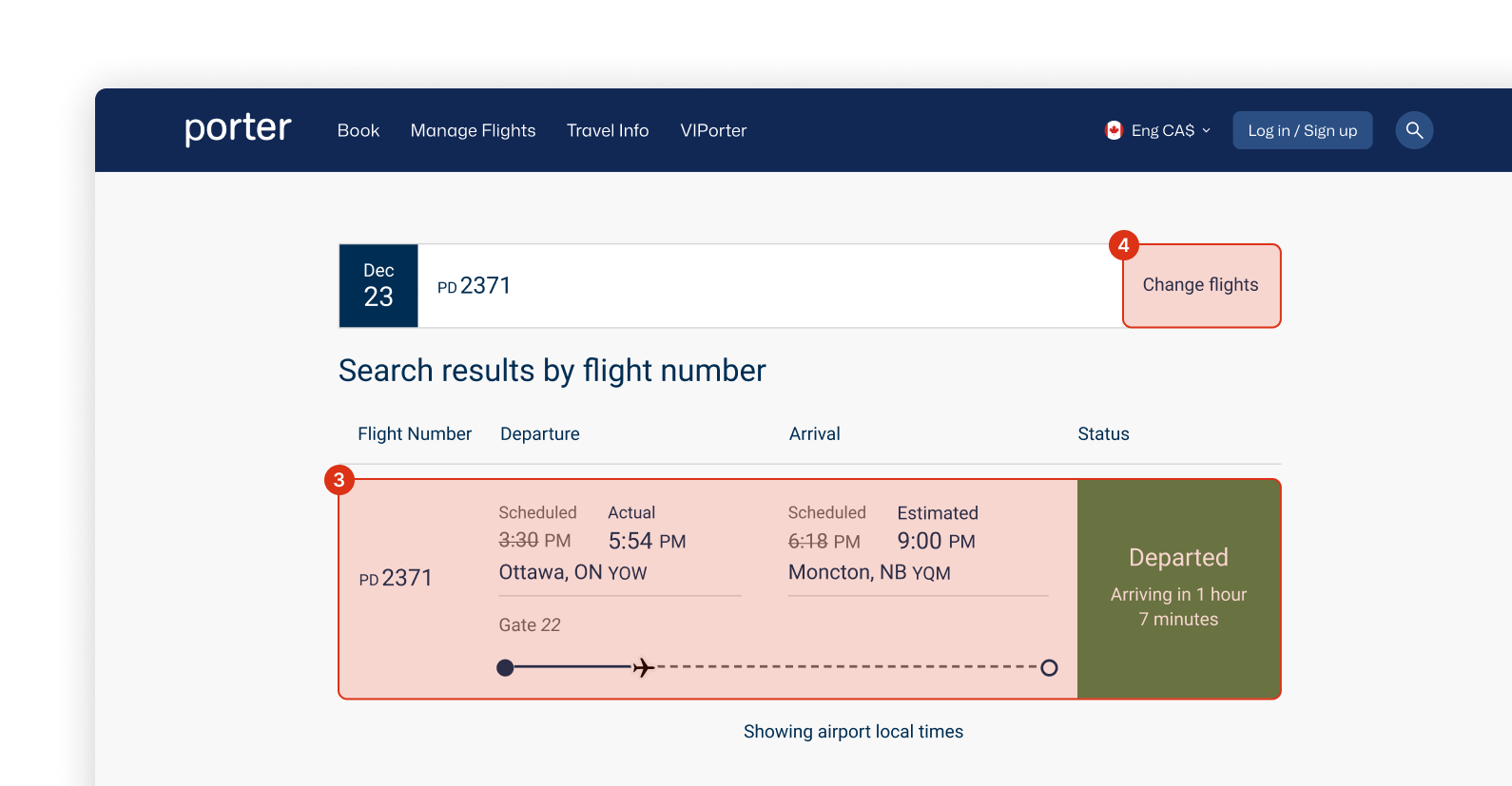
Original Flight Status main page Original Flight Status results page
1 Poor grouping between key actions harms usability, making scalability difficult and goes against Fitt's Law.
2 Secondary information clutters the page, shifting the user's focus away from what they came for.
3 Competing system states and dated layouts fail to quickly tell the user a story about what's happening with their flight.
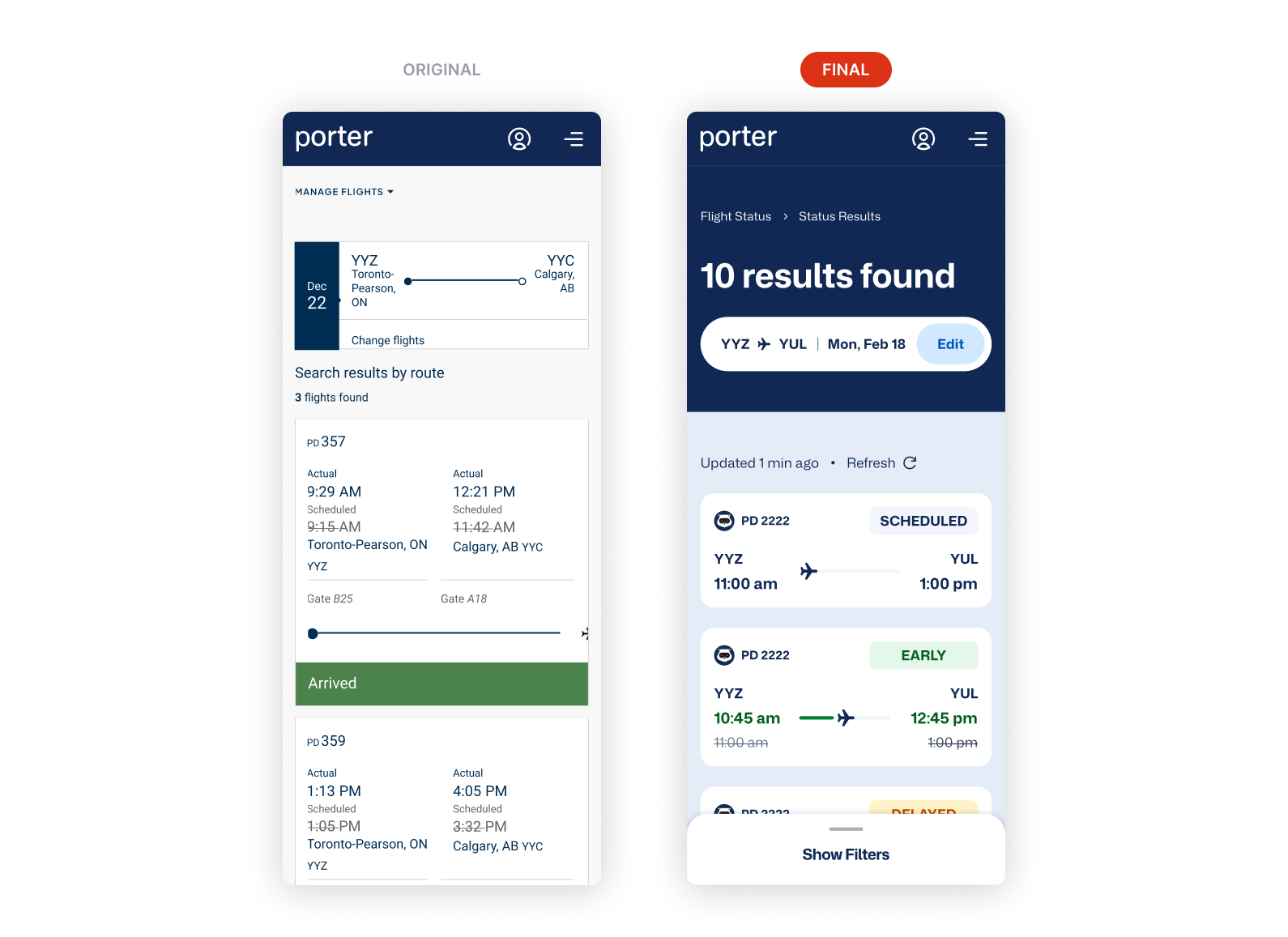
4 Ineffective architecture made users have to manually search for their connecting flights.
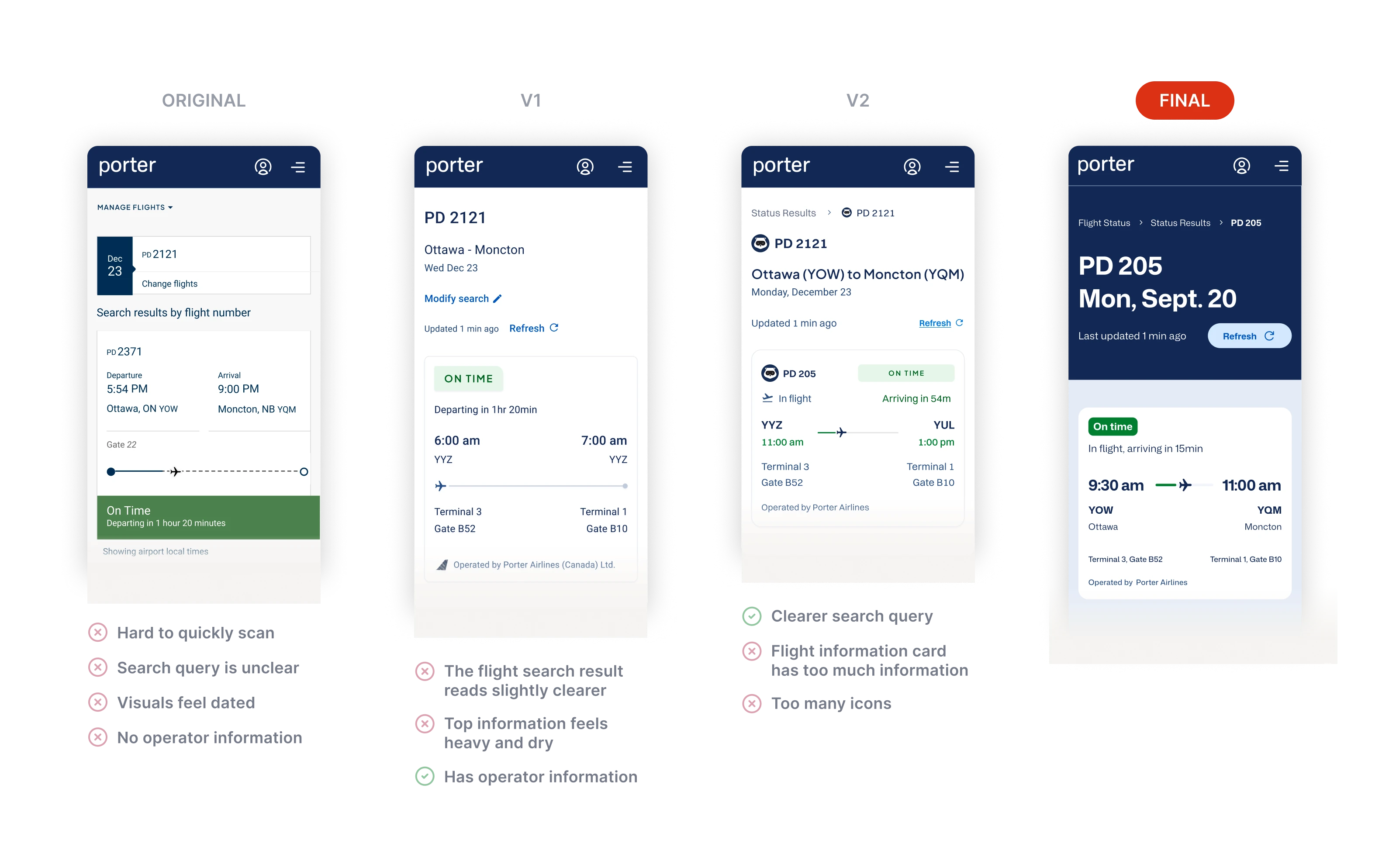
Status before everything else

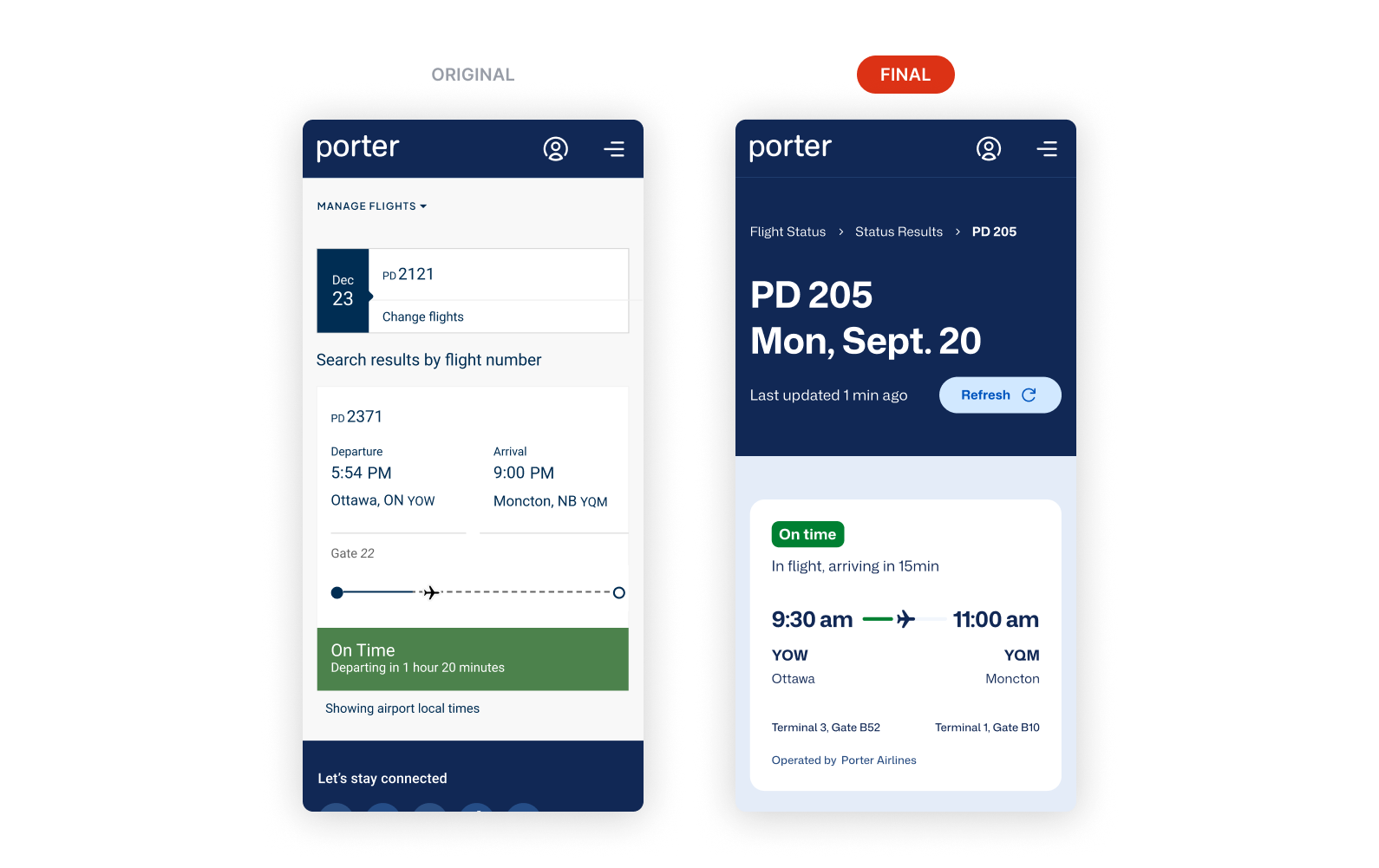
Passengers use this page between gates, mid-connection, or when plans change fast. The question is always the same: is this flight on time? Usability sessions confirmed what we suspected: passengers couldn't easily locate their status. I restructured the layout to be more scannable.

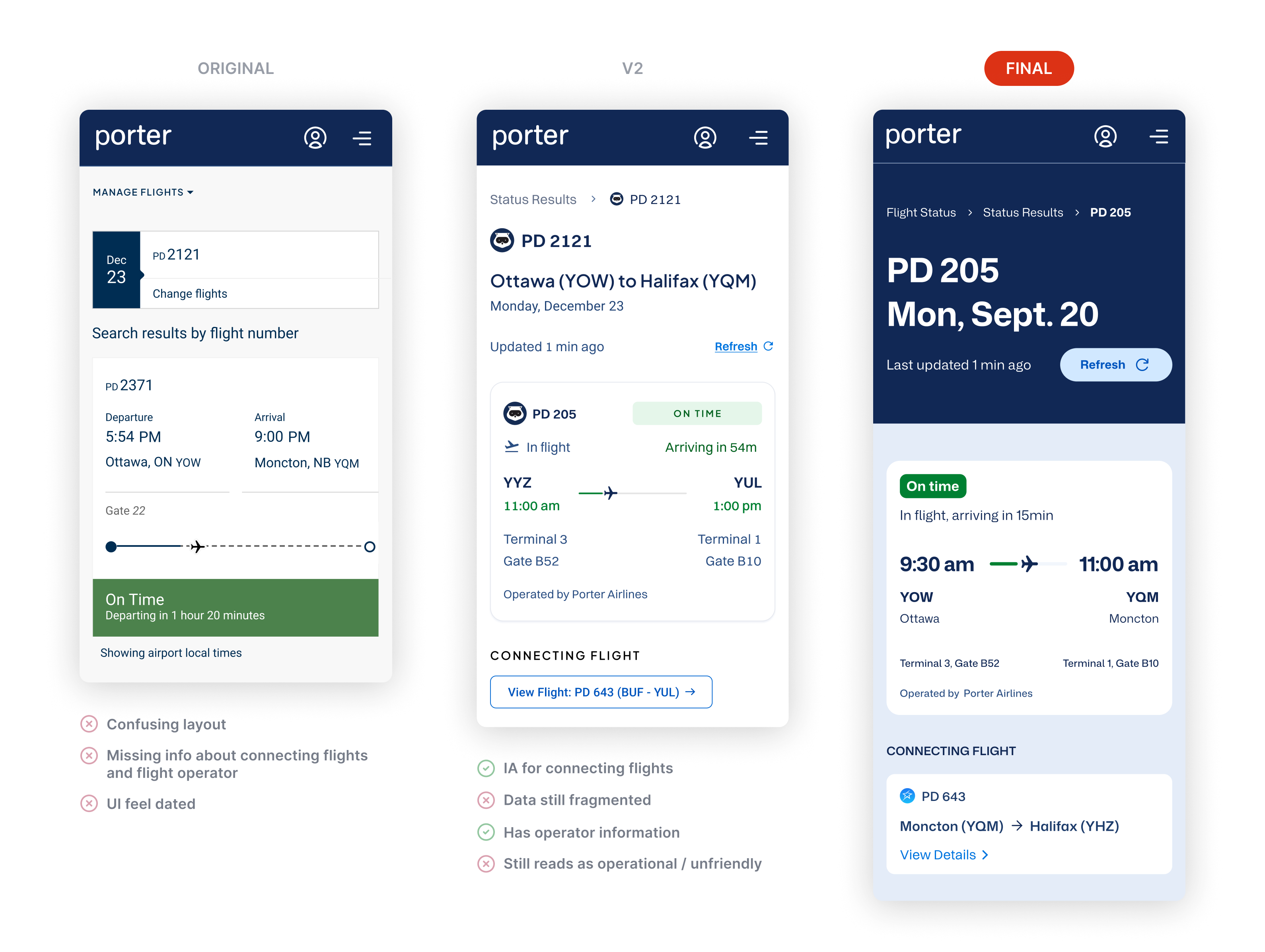
Redesigned Flight Status — status and timing at top, color-coded progress bar

Status first. Route and timing second. Everything else organized by urgency.

Don't make users search for connections

Mid-project, a backend constraint surfaced: the system couldn't tell whether a passenger was continuing on a connecting flight or ending their trip at a layover. I placed the next leg beneath the main result, visible to everyone, so no one has to find it manually.

Connecting flight shown beneath main flight result

Next leg shown by default. No separate search required.

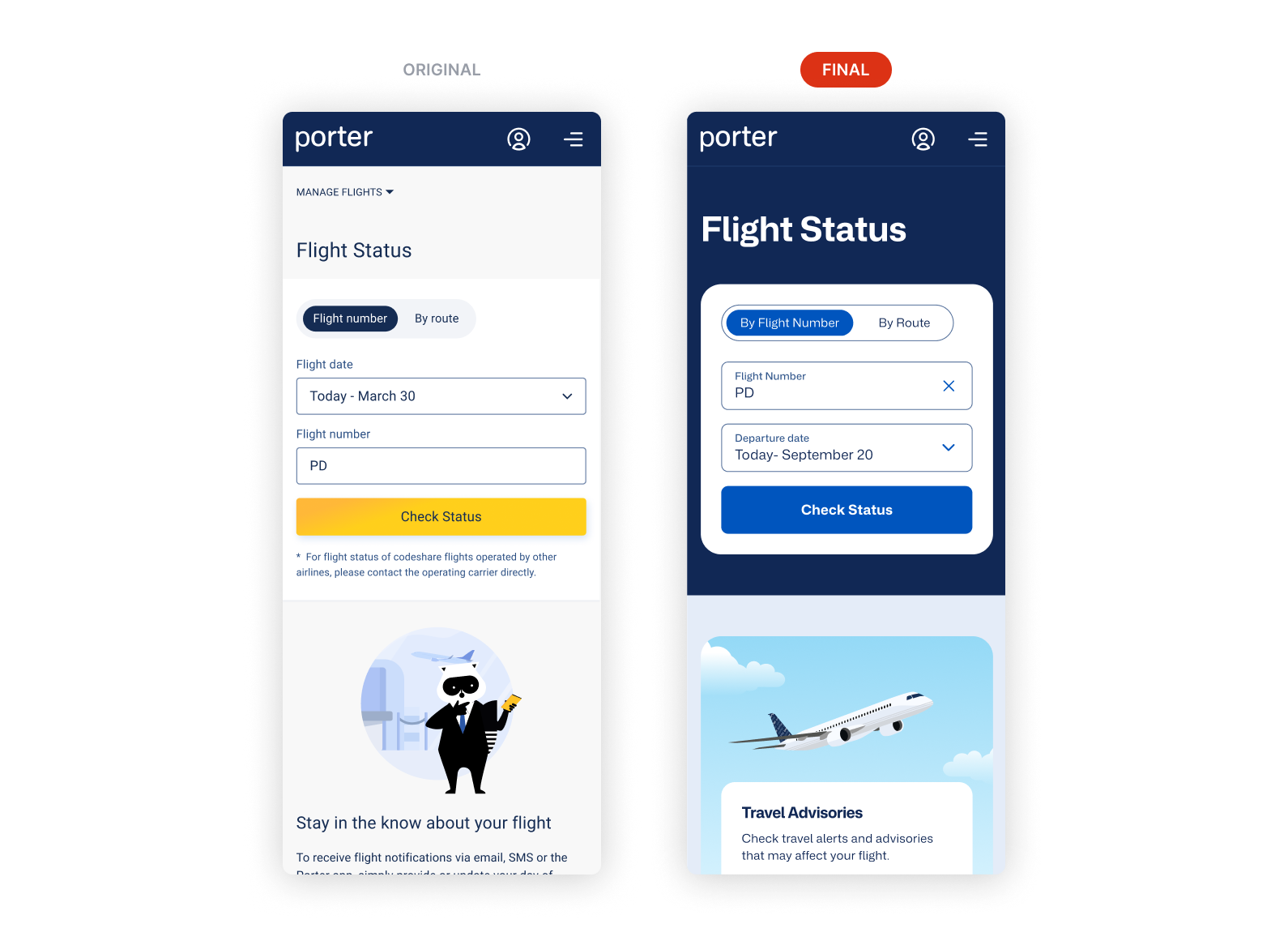
Dark blue anchors the primary view

I used Porter's dark blue to pull attention to the the page's main elements.

Landing page — before and after Results by flight number — before and after Results by route — before and after

The hierarchy reads before you process a word.

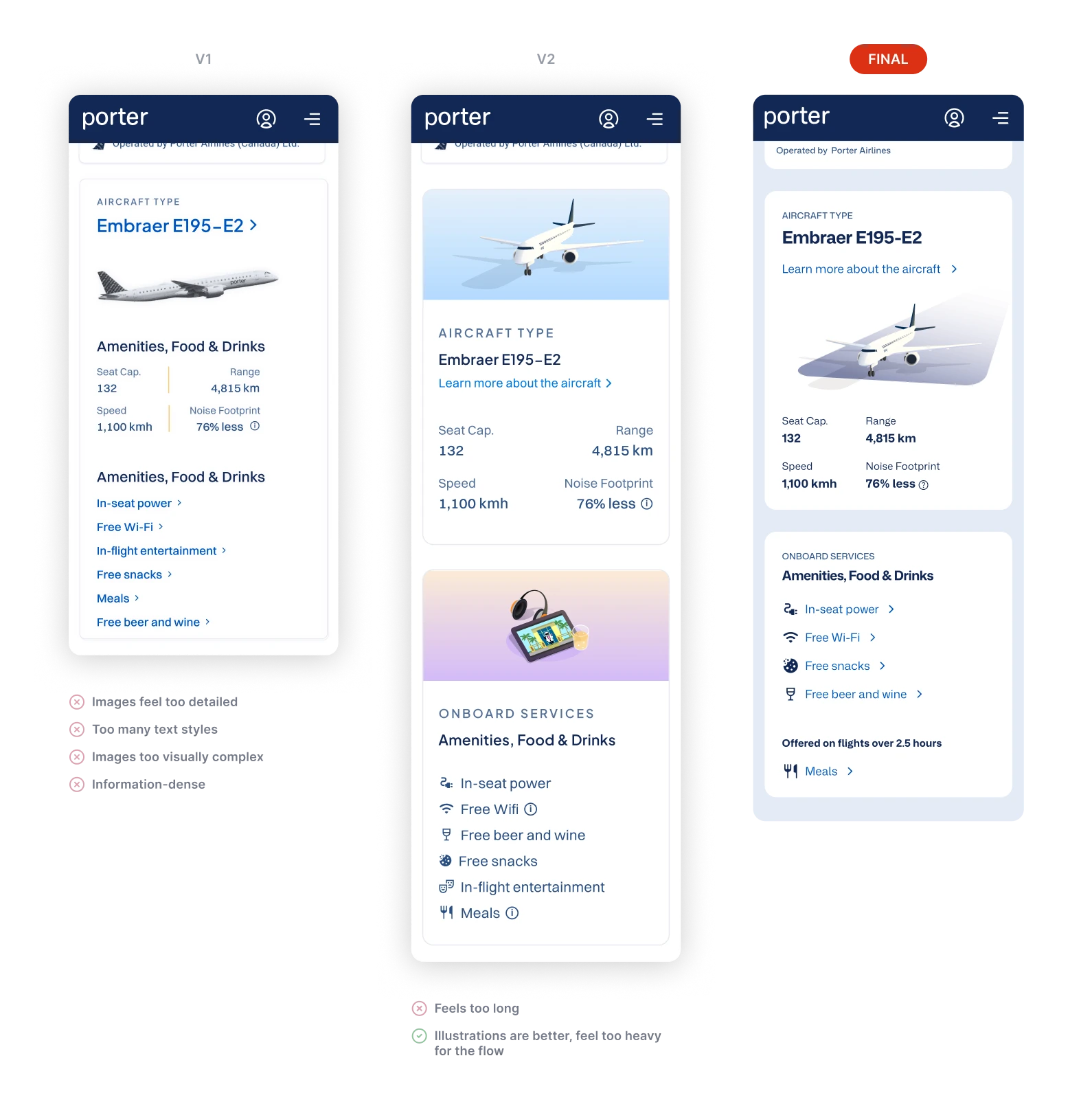
Add aircraft info to build brand familiarity

I pushed for adding aircraft details and onboard service info for brand awareness and to help passengers recognize their plane. Users called it out unprompted in testing, with one saying "oh, this section is really fun! I love it."

Aircraft type, configuration, and onboard services section

Aircraft type, configuration, and onboard services. Useful before boarding, memorable after.

Results
All five usability test participants were able to find their flight without help, even in edge cases.
All users also rated the redesign higher than the original on clarity and ease of use.
Designs produced 20% faster using the new design system. I mentored Victoria on how to use it during the project, and she measured the lift by building key screens with the system, and without. Read more here
What's next
Baseline support call data. Porter had no baseline data on support calls tied to flight status. Measuring that rate before and after launch would put a number on the redesign's business value.
iOS Live Activities. Real-time flight status on the lock screen before passengers open the app. I pitched it to Janet Bird, the mobile design lead following handoff. She was interested, and told me the team would implement it if they could.